Sometimes I have to put text on a path
Showing posts with label apple. Show all posts

Monday, March 30, 2015

LAMMPS: OS X with Homebrew

OS X with Homebrew

LAMMPS can be downloaded, built, and configured for OS X easily with Homebrew.

Paste that at a Terminal prompt:
ruby -e "$(curl -fsSL https://raw.githubusercontent.com/Homebrew/install/master/install)"


Only four of the LAMMPS packages are unavailable at this time because of additional needs not yet met: KIM, GPU, USER-CUDA, USER-ATC.
After installing Homebrew, you can install LAMMPS on your system with the following commands:
% brew tap homebrew/science
% brew install lammps              # serial version
% brew install lammps --with-mpi   # mpi support 
This will install the executable "lammps", a python module named "lammps", and additional resources with all the standard packages. To get the location of the additional resources type this:
% brew info lammps 
This command also tells you additional installation options available. The user-packages are available as options, just install them like this example for the USER-OMP package:
% brew install lammps --enable-user-omp 
It is usually best to install LAMMPS with the most up to date source files, which can be done with the "--HEAD" option:
% brew install lammps --HEAD 
To reinstall the LAMMPS HEAD, run this command occasionally (make sure to use the desired options).
% brew install --force lammps --HEAD ${options} 
Once LAMMPS is installed, you can test the installation with the Lennard-Jones benchmark file:
% brew test lammps -v 

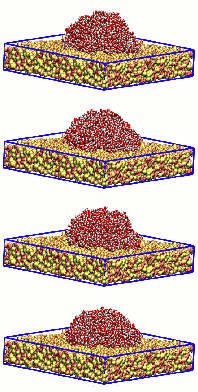
VMD is a molecular visualization program for displaying, animating, and analyzing large biomolecular systems


VMD is designed for modeling, visualization, and analysis of biological systems such as proteins, nucleic acids, lipid bilayer assemblies, etc. It may be used to view more general molecules, as VMD can read standard Protein Data Bank (PDB) files and display the contained structure. 


VMD provides a wide variety of methods for rendering and coloring a molecule: simple points and lines, CPK spheres and cylinders, licorice bonds, backbone tubes and ribbons, cartoon drawings, and others. 

VMD can be used to animate and analyze the trajectory of a molecular dynamics (MD) simulation. 

In particular, VMD can act as a graphical front end for an external MD program by displaying and animating a molecule undergoing simulation on a remote computer.

http://www.ks.uiuc.edu/Research/vmd/allversions/what_is_vmd.html

Friday, March 27, 2015

iTerm2 terminal (Apple OSX)


Many features:
 http://iterm2.com/features.html

Terminal.app Mac OSX List Unix commands


Terminal (Terminal.app) is the terminal emulator included in the OS X operating system by Apple.
As a terminal emulator, the application provides text-based access to the operating system (or server) , in contrast to the mostly graphical nature of the user experience of OS X, by providing a command line interface to the operating system when used in conjunction with a Unix shell, such as bash.
Now with OSX 10.9.1, version of Terminal = 2.4

The preferences dialog for Terminal.app in OS X 10.8 (Mountain Lion) offers choices for values of the TERMenvironment variable
Available options are ansidttermnstermrxvtvt52vt100vt102xtermxterm-16color andxterm-256color, which differ from the OS X 10.5 (Leopard) choices by dropping the xterm-color and adding xterm-16color and xterm-256color
These settings do not alter the operation of Terminal, and the xterm settings do not match the behavior of xterm.
Terminal includes several features that specifically access OS X APIs and features. These include the ability to use the standard OS X Help search function to find manual pages and integration with Spotlight

List Unix commands
http://www.math.harvard.edu/computing/unix/unixcommands.html
http://unixhelp.ed.ac.uk/alphabetical/index.html
http://unixhelp.ed.ac.uk/CGI/man-cgi?ls
gives "ls" with all options

http://www.unix-manuals.com/tutorials/unix/change-password/password-change.html

By alphabetical orders:
http://en.wikipedia.org/wiki/List_of_Unix_commands

Three Terminal Commands to get you started (mac apple; linux; Unix)

If you’re running Mac OS X, or your favourite flavour Linux, you’re all set. Just fire up the terminal, and keep going. 

there’s a good change you’ll want to see the contents of a file from the terminal sooner or later. There’s a few commands that will do this for you. First is catcat is short for “concatenate”, and this command does more than output file contents; however, that’s what we’ll look at here. It’s as simple as passing the command a file:
However, if the file is large, the contents will all scroll past you and you’ll be left at the bottom. Granted, you can scroll back up, but that’s lame. How about using less?
Less is a much better way to inspect large files on the command line. You’ll get a screen-full of text at a time, but no more. You can move a line up or a line down with the k and j respectively, and move a window up or down with b and f. You can search for a pattern by typing /pattern. When you’re done, hit q to exit the less viewer.
Most of the commands you’ll use in a bash shell are pretty flexible, and have a lot of hidden talents. If you suspect a command might do what you want, or you just want to see some general instruction on using a command, it’s time to hit the manuals, or man pages, as they’re called. Just type man followed by the command you’re curious about.
You’ll notice that the man pages are opened in less.

Thursday, March 26, 2015

Some clients SSH for mac OS, Apple, macintosh OSX, Cross-platform

The following clients are recommended for interoperating with OpenSSH from Mac OS machines. Note that Mac OS X includes OpenSSH by default (application: terminal; only command line =no GUI).
  • http://portingteam.com/index.php/files/file/7089-winscp/
    Download:
  • WinSCP is an open source free SFTP client, SCP client, FTPS client and FTP client for Windows. Its main function is file transfer between a local and a remote computer. Beyond this, WinSCP offers scripting and basic file manager functionality. Like Cyberduck, or Filezilla, but more powerful! 

Remark: You can use winscp to connect to mac machine, but after you enable ssh on mac (System Preferences -> Sharing -> Check Remote Login).

---------------------


One of the best GUI application for SSH (and everything else you can do on the command line) is iTerm 2https://code.google.com/p/iterm2/ While the original iTerm had a tabbed interface before Terminal did, iTerm 2 again eclipses Terminal by adding:
  • Support for 256 colors (you'll never go back to 16 colors after using 256)
  • Split panes (the sort of thing you can do in GNU screen or tmux, but at the level of the terminal emulator rather than in a program running on the server)
  • Special provision for integrating with tmux (an alternative to GNU screen, and which most people regard as better & faster than screen)
  • Terminal-level auto-completion (I don't use this feature so I can't detail how it has advantages over shell-level autocompletion: especially if you use the fish shell or zsh, then it may not be better)
  • Growl support
  • an Exposé-like view of your tabs
  • a full-screen view (and you can choose from either its own or OS X's built-in full-screen mode; I greatly prefer iTerm's own full-screen mode, since it doesn't force you to move to a new 'Space', thus allowing Command-Tab to still work properly)
  • paste history (a good complement to the shells' command histories)
  • Search
  • Instant Replay
---------------------
ZOC • SSH/Telnet Client and Terminal Emulator for Mac OS X and Windows
http://www.emtec.com/zoc/
not free
---------------------


  • NiftyTelnet 1.1 SSH is an SSH1-only implementation which comes with a scp-style program. Written by Jonas Wallden."NiftyTelnet 1.1 SSH r3 is an enhanced version of Chris Newman's NiftyTelnet 1.1 application which adds support for encrypted terminal sessions using the SSH (Secure Shell) protocol. Please read the included Readme file before distributing this version."
  • MacSSH is an SSH2-only implementation."MacSSH is a modified version of BetterTelnet with SSH2 support. [...] The only SSH2 client for Mac OS that I could find is a commercial product thats costs more than $100, and it crashes my Mac when closing a session... Since it's best to do things by oneself, here's MacSSH."
  • Fugu is an implementation of SFTP and SCP for Mac OS X."Fugu SSH is a Mac OS X graphical frontend to OpenSSH's Secure File Transfer application (SFTP). Fugu allows you to take advantage of SFTP's security without having to sacrifice the ease of use found in a GUI. Fugu also includes support for SCP files transfers, and the ability to create secure tunnels through SSH."
---------------------------------------------
 For example,WinSCP defaults to the SFTP protocol. Even when operating in SCP mode, clients like WinSCP are typically not pure SCP clients, as they must use other means to implement the additional functionality (like the ls command). This in turn brings platform-dependency problems.
---------------------------------------------
Cross-platform:


  •  FireFtp: It's a plug-in for Firefox (that means it's cross-platform). But FireFTP is an FTP client, not an SCP/SSH client.
  • FireSSH is a free, cross-platform SSH terminal client for Mozilla Firefox. Written entirely in Javascript!
  • Secure Shell is an xterm-compatible terminal emulator and stand-alone ssh client for Chrome. It uses Native-Client to connect directly to ssh servers without the need for external proxies.

  • http://www.mucommander.com/ cross-platform file manager with a dual-pane interface. It runs on any operating system with Java support
------------------------------------------------------
Moreover you can always transfer your files using a terminal. For example using the following command will transfer a file from your mac to a remote server using the scp command: 

Code:

scp -P portnum -i path/to/keyfile path/to/file_you_are_uploading user@server:path/on/server


-P portnum is the port number of the remote server. If your using port 22 then you don't need to specify a port here. But if you are using a port number other that 22, then place it behind the -P 

-i path/to/keyfile is your private key file. I personally don't use passwords when using ssh/scp instead I use private keys. If you use passwords then dont use the -i statement 


---------------------------------------------

http://www.openssh.com/macos.html

PS: OpenSSH is a FREE version of the SSH connectivity tools that technical users of the Internet rely on. Users of telnet, rlogin, and ftp may not realize that their password is transmitted across the Internet unencrypted, but it is. OpenSSH encrypts all traffic (including passwords) to effectively eliminate eavesdropping, connection hijacking, and other attacks. Additionally, OpenSSH provides secure tunneling capabilities and several authentication methods, and supports all SSH protocol versions.

The OpenSSH suite replaces rlogin and telnet with the ssh program, rcp with scp, and ftp with sftp. Also included is sshd (the server side of the package), and the other utilities like ssh-addssh-agentssh-keysignssh-keyscanssh-keygen and sftp-server.
OpenSSH is developed by the OpenBSD Project. The software is developed in countries that permit cryptography export and is freely useable and re-useable by everyone under a BSD license.
-----------------------


What is SSH Client?

An SSH client is a software which uses the SSH protocol to connect to a remote computer.
In general SSH protocol can be used for two purposes, file transfers and terminal access.
SSH File Transfers
File transfers are primary focus of WinSCP.
WinSCP supports SFTP (SSH File Transfer Protocol) for secure file transfers. In addition to that it also supports legacy SCP (Secure Copy Protocol).
You can use WinSCP to transfer files both manually and automatically.
SSH Terminal Access
While WinSCP does not focus on terminal access, it has basic support for it.
You can execute remote commands via SSH terminal both manually and automatically.

If you need unrestricted terminal access (and still want to use WinSCP for file transfers), you will find integration with PuTTY SSH client useful. This free Telnet and SSH client for Windows can be also downloaded from our PuTTY download page.

http://winscp.net/eng/docs/free_ssh_client_for_windows


--------------
use some programs (Mathematica e.g.):
ssh servername requires an interactive terminal, which you cannot expect Mathematica to give you. How about doing ssh servername command  ,  which will actually run the command you want, then return. That doesn't require an interactive terminal.

Monday, November 26, 2012

Filezilla; SSH File Transfer Protocol (SFTP); manual, Tutoriel

FileZilla is a cross-platform graphical FTP, FTPS and SFTP client a lot of features, supporting Windows, Linux, Mac OS X and more.
FileZilla Server is a reliable FTP server for Windows.

http://sourceforge.net/projects/filezilla/

Version history:
http://filezilla-project.org/versions.php?version=3.6.0.1&oldversion=3.5.3

Tutoriel (français) / Guida a Filezilla (italiano) / Manual (espagnol) / manual (english)

In french:
http://filezilla.fr/telecharger-download/

--------------
File Sharing, File Transfer Protocol (FTP), Networking
 

Saturday, June 16, 2012

windows seven and Apple's Boot Camp, Parallels Desktop for Mac, rEFIt, VMware Fusion, VirtualBox;Mac OS X Lion


Apple's Boot Camp  4.0 (July 20, 2011) lists the following requirements for Mac OS X Lion:
  • An optical drive or/and Blank CD/USB media for installation of Windows drivers for Mac hardware
  • 16 GB free hard disk space for 32-bit versions of Windows, 20 GB for 64-bit versions of Windows
  • A full version of Windows 7 Home Premium, Professional, or Ultimate (32-bit and 64-bit editions)

Rem: Windows XP and Windows Vista are not supported with Boot Camp 4.0.

Rem: Boot Camp does not work on Mac OS X Lion if more than three primary OS X partition exists on the target hard drive. Since on Mac OS X Lion, the Mac operating system itself consumes 3 partitions (EFI, Mac OS X, and Recovery), effectively there can only be one partition other than Boot Camp. Thus, for example, it is not possible to create a data partition. 
--------------------
What do I need to install Windows 7?

Windows 7 requires Mac OS X v10.7 Lion (or Mac OS X v10.6 Snow Leopard and the Boot Camp 3.1 Update). For complete system requirements information, see Boot Camp System requirements for Microsoft Windows: http://www.apple.com/support/bootcamp/
http://manuals.info.apple.com/fr_FR/boot_camp_install-setup_10.7_f.pdf

What types of Windows 7 installations are supported?

Both new installs and upgrade installs are supported.

How do I install Windows 7?

If you are installing Windows 7 using Boot Camp with Mac OS X v10.7 Lion, see http://manuals.info.apple.com/en_US/boot_camp_install-setup_10.7.pdf

What is new in Boot Camp 4.0 for OS X Lion?

Electronic Software Distribution
Use the Boot Camp Assistant to create a CD or USB media to install the latest Boot Camp drivers for your computer. You should get the newest drivers available any time you install Boot Camp.
Support for the Windows 7 ISO installer
Install Windows with an installation disc you provide or, on Mac computers that do not have an optical drive, with a USB flash drive that contains a Windows 7 ISO image downloaded from Microsoft. The Boot Camp Assistant will offer to create this image on supported computers.
Upgrade or "clean" install Windows without using the Boot Camp Assistant
If you want only to upgrade the version of Boot Camp or Windows on your Windows partition, you don’t need to use Boot Camp Assistant. Instead, choose Help > Help Center in Finder and search for “upgrade Boot Camp” or “upgrade Windows.”
--------------

Boot Camp Assistant does not erase your existing partition or existing Mac OS X installation when it creates a new partition for Microsoft Windows.

Important: Do not use disk utilities not made by Apple to partition the drive before using Boot Camp Assistant. Doing so may erase the disk.

You can use Boot Camp to install Windows on any internal hard drive, but not on an external hard drive.
--------------

Which drivers are included with the OS X Lion Windows support software (drivers) download?

The Mac OS X Lion Boot Camp Software includes these Mac drivers for Windows:

Apple Bluetooth
Apple Keyboard Support
Apple Remote Driver
Apple Trackpad
Atheros 802.11 Wireless
ATI Graphics
Boot Camp control panel for Microsoft Windows
Boot Camp System Task Notification item (System Tray)
Broadcom Wireless
Intel Chipset Software
Intel Integrated Graphics
iSight Camera
Marvel Yukon Ethernet
nVidia Graphics
Cirrus Logic Audio
Realtek Audio
SigmaTel Audio
Startup Disk control panel for Microsoft Windows
---------------

Are SDXC cards supported by Boot Camp 4.0?

Yes, SDXC cards are supported on Macintosh computers with an SD card slot and Boot Camp 4.0. You'll need to install the Windows support software (drivers) to enable this feature.

----------------
------------------------------------------------------

 What can I do if my computer starts up to a black screen with white text that says "No Boot Disk Attached"?

This message means that the Windows partition cannot start up, usually because of an issue with the drive formatting. The Boot Camp Setup Assistant creates the Boot Camp partition, but the Windows installer must format it to make it "bootable".

Start up to Mac OS X and run the Boot Camp Setup Assistant again.
Remove the Boot Camp partition and re-create it.
Install Windows again, this time using Windows to format the partition.


A "code: 0x80070005" alert appears when upgrading from Windows Vista to Windows 7. How do I fix it?

This happens when the Windows 7 installer is attempting to write to a read-only Macintosh volume.
http://support.apple.com/kb/TS3172

The Windows 7 installer does not include required graphics or Bluetooth drivers for this computer.  To obtain the necessary drivers and resolve the issue, see http://support.apple.com/kb/TS3173


Are 64-bit versions of Windows supported?

Yes. For a list of supported Macs, see http://support.apple.com/kb/HT1846


Ref: http://support.apple.com/kb/HT3986
--------------------------------------------------
 Users have also installed Linux using the utility, although Apple has not listed support for Linux operating systems:
http://ubuntuforums.org/showthread.php?t=678542

--------------------------------------------------

Réglage du système d’exploitation par défaut
Pour définir le système d’exploitation par défaut, utilisez le volet Disque de démarrage 
des Préférences Système dans Mac OS X ou le Panneau de configuration de Boot Camp 
dans Windows.


Vous pouvez sélectionner le système d’exploitation à utiliser lors du démarrage en 
maintenant enfoncée la touche Option. Cela a pour effet d’afficher les icônes de 
tous les disques de démarrage disponibles pour vous permettre d’ignorer le réglage 
par défaut défini dans les préférences Disque de démarrage (Mac OS X) ou dans le 
panneau de configuration Boot Camp (Windows) sans modifier ce réglage.


http://manuals.info.apple.com/fr_FR/boot_camp_install-setup_10.7_f.pdf
-----------------------
Boot Camp est un logiciel propriétaire de type boot loader (chargeur d'amorçage), édité par Apple, permettant de lancer le système d'exploitation Microsoft Windows sur les ordinateurs de type Mac (version Intel). 
Les Mac Intel utilisent une interface d'initialisation nommée EFI (Windows XP ne gère pas ce firmware de façon native, mais uniquement son prédécesseur, le BIOS). 
http://fr.wikipedia.org/wiki/Boot_Camp


------------------------ other products:


---------Parallels Desktop for Mac by Parallels, Inc., is software providing hardware virtualization for Macintosh computers with Intel processors.
Parallels Desktop for Mac is a hardware emulation virtualization software, using hypervisor technology that works by mapping the host computer’s hardware resources directly to the virtual machine’s resources. Each virtual machine thus operates identically to a standalone computer, with virtually all the resources of a physical computer. Because all guest virtual machines use the same hardware drivers irrespective of the actual hardware on the host computer, virtual machine instances are highly portable between computers. For example, a running virtual machine can be stopped, copied to another physical computer, and restarted.


Guest
In Parallels Desktop 7 for Mac, support for guest operating systems includes a variety of 32-bit and 64-bit x86 operating systems, including:

  • multiple versions of Microsoft Windows, including Windows 7, as well as MS-DOS,
  • Mac OS X Leopard Server, Snow Leopard Server, and Mac OS X Lion (only with OS X Lion as host OS),
  • various Linux distributions, FreeBSD,
  • eComStation, OS/2, Solaris,


-------------rEFIt is a boot menu and maintenance toolkit for EFI-based machines like the Intel Macs. It can be used to boot multiple operating systems, including triple-boot setups with Boot Camp. It also provides a way to enter and explore the EFI pre-boot environment
http://refit.sourceforge.net/
2010-03-07: Version 0.14 was released.

-------------VMware Fusion is a virtual machine software product developed by VMware for Macintosh computers with Intel processors.
Unity view creates a seamless desktop environment between Microsoft Windows and Mac OS X applications. It optionally hides Windows' start menu and taskbar and runs the Windows applications directly from the dock in OS X. Further, users can drag and drop files between Windows and the Mac, and use familiar Mac keyboard shortcuts to copy and paste between Windows and Mac applications. It is (almost) fully compatible with Exposé. Fusion windows that are covered by other Fusion windows don't redraw when switching to Exposé, causing visual anomalies. This feature is later made available in VMware Workstation 6.5 Beta, which is designed to be run on Windows/Linux platforms.

------------Oracle VM VirtualBox (formerly Sun VirtualBox, Sun xVM VirtualBox and innotek VirtualBox) is an x86 virtualization software package
Oracle VM VirtualBox is installed on an existing host operating system as an application; this host application allows additional guest operating systems, each known as a Guest OS, to be loaded and run, each with its own virtual environment.
Supported host operating systems include Linux, Mac OS X, Windows XP, Windows Vista, Windows 7, Windows 8, Solaris, and OpenSolaris; there is also a port to FreeBSD.

Although VirtualBox has experimental support for Mac OS X guests, the end user license agreement of Mac OS X does not permit the operating system to run on non-Apple hardware, enforced within the operating system by calls to the Apple System Management Controller (SMC) in all Apple machines, which verifies the authenticity of the hardware.
The host OS and guest OSs and applications can communicate with each other through a number of mechanisms including a common clipboard and a virtualized network facility provided. Guest VMs can also directly communicate with each other if configured to do so.

VirtualBox can achieve a performance that is comparable to that of VMware.

------------------------------
http://en.wikipedia.org/wiki/Comparison_of_VMware_Fusion_and_Parallels_Desktop

Represented by their respective products, VMware and Parallels are the two major commercial competitors in the Mac consumer virtualization market. Both products are based on hypervisor technology and allow users to run an additional 32- or 64-bit x86 operating system in a virtual machine alongside Mac OS X on an Intel-powered Mac.

Copy/Paste Text between Windows / Mac
VMware fusion: Yes, Plain and Rich (RTF) Text up to 4 MB
Parallel desktop: Yes, Plain and Rich (RTF) Text

Disk space for product: VMware: 750 MB Parallel desktop:500 MB
VMware or Parallel desktop: RAM 2 GB (4 GB Recommended)

Windows on a VM will never be as fast as when it's running directly on the hardware via Boot Camp. For the fastest possible Windows applications performance, you'll always have to reboot and use Boot Camp. We expected that Parallels and Fusion would perform similarly in our Windows benchmarks, but there was a noticeable difference in a couple of our tests.


Parallel desktop is near of 10% faster than VMware fusion.


http://www.itpro.co.uk/628492/head-to-head-parallels-desktop-6-vs-vmware-fusion-3/4