Online Services headline animator, feedBurner

Showing posts with label blogspot. Show all posts
Showing posts with label blogspot. Show all posts
Thursday, December 29, 2016

Wednesday, November 23, 2016
Du fait de la diversité des outils google pour y mettre des images, difficile de s'y retrouver...
your google+ profile, et aussi image valable pour tous les produits google
https://plus.google.com/u/0/photos/113300494682639557816/albums/profile(c'est le dossier profile)
if you select
https://plus.google.com/u/0/photos/113300494682639557816/albums
you will get :
https://photos.google.com/u/0/?+info qui disparait pour
https://photos.google.com/u/0/
qui est votre homepage google photos.
albumarchive
Si vous regardez votre albumarchivehttps://get.google.com/albumarchive/113300494682639557816

Profile photos you’ve chosen for any Google services you use, including Google+, Gmail, Hangouts & others. Changes you make here apply across all of Google, including when you communicate or share content.
dans "Auto Backup"
on a les photos/video des anciens "picasa album", des dossiers synchronisés avec google photos ou téléchargé avec photos
Photos and videos backed up from your devices and browser.
dans Photos from drive
on a les Photos & videos sauvées dans et avec Google Drive.
Les Changements réalisés ici sont appliqués dans drive.
Bref utiliser les albums Google archivés:
Vous pouvez consulter, supprimer ou télécharger les photos que vous avez importées dans d'autres produits Google, dont :
- Picasa Albums Web
- Google+
- Blogger
- Hangouts
- Google Photos
- Google Drive
Blogspot/blogger
vos images de blog, visible dans drive (en ordre temporelle) et album archive (apparaissent alors dans un dossier et par blog.On a des options comme:
Show your Google Drive photos & videos in your album archive
google drive et google photos
permet de faire des albums, de la recherche poussée, du stockage synchronisé (avec l'appli)
mais sur le fond comme fichier et stockage final
avec google drive, peu de différence :


Wednesday, November 2, 2016
Javascript blog CMS : blogger
To build any webpage on internet there are three most important languages viz. HTML, JavaScript and CSS. JavaScript is one of the most commonly used client-side programming language that may communicate asynchronously (i.e. independently of other processes) to web browser.
If you are using BlogSpot.com blogger blog then you have lots of option to include JavaScript codes. It will depends on where you want to render it and for which purpose you are using that JavaScript files or codes.
See this present "ex-ample" blog.
http://www.superwebtricks.com/add-javascript-codes-to-blogger-template/
Sunday, September 30, 2012
upload , embed pdf, word excel in bogger blogspot
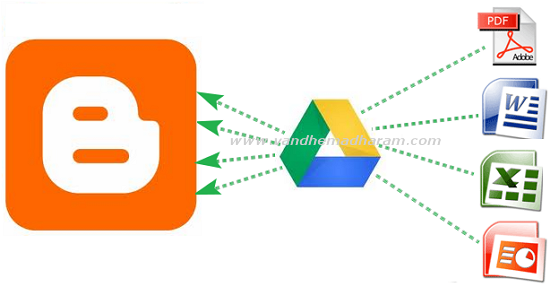
Most of bloggers using Google's free blogger platform. Even though it has more features you cannot upload pdf, doc, xls files directly on blogger. So before we used third party websites to embed these files. But now you no need to go to thirt party websites you can embed documents, spreadsheets, PDF files using Google Drive. Google is a Google's recent released cloud storage service it has more useful features . Here below the tutorial to how to embed doc,xls,pdf files on Google Drive.
- Open drive.google.com and login to your account then click the upload button and choose your files need to embed.
- After upload completed click on the uploaded file link. It opens in new tab

- Then go to File - Embed (this PDF file) in menu bar.

- After you hit the Embed option the embed coding will shows just copy that coding and paste it on Edit HTML mode in blogger post editor section.

- Then as usual hit the publish Post button your embed files shows in blog posts.
I think this is the very easy way to show these type of files
on blogger posts. If you have other ideas please share it on comment
section.
ref: http://www.techshortly.com/2012/05/how-to-show-pdf-doc-xls-files-on.html#
Monday, July 16, 2012
The top 10 ways to embed Google Earth content (trails, footpaths, interactive guide to fishing, walking, biking) on your site blog (special mention to blogger) with or without earth plugin and with/without earth API
A) without coding (no javascript)
3 categories of methods: without the need of plugin install (Google Earth plugin, for browsers) and without the google earth API or with this API (in this case, the client must install the Google Earth plugin)
B) with coding (javascript)
-----------------------------------------------
-----intro (not necessary if you just want a one-click service to directly embed in your site)
To load the Google Earth Plugin in your web page, you need to:
A) without coding (no javascript)
B) with coding (javascript)
http://code.google.com/apis/ajax/playground/?exp=earth#hello,_earth
3 categories of methods: without the need of plugin install (Google Earth plugin, for browsers) and without the google earth API or with this API (in this case, the client must install the Google Earth plugin)
A-a) without the need of Google Earth plugin
A-b) without the google earth API
A-c) with the google earth API
B) with coding (javascript)
-----------------------------------------------
-----intro (not necessary if you just want a one-click service to directly embed in your site)
The Google Earth plug-in allows you to navigate and explore geographic data on a 3D globe using a web browser: http://www.google.com/earth/explore/products/plugin.html
If you want to embed the Google Earth plug-in on your website, visit the Google Earth API site to learn more: http://code.google.com/apis/earth/
Check out the recently revamped (2011) Earth API Developer's Guide: http://code.google.com/apis/earth/documentation/
This plugin and this API may work correctly on all browsers (Internet Explorer 7.0+, mac and PC: Firefox 3.0+; Google Chrome 5.0+; Safari 3.1+, etc...) that support NPAPI with npruntime extensions (https://developer.mozilla.org/En/Gecko_Plugin_API_Reference:Scripting_plugins).
Plugins (or plug-ins) are shared libraries that users can install to display content that the application itself can't display natively. For example, Adobe Reader plugin (or Google earth plugin) lets the user open PDF files directly inside the browser. Plugins are written using NPAPI, the cross-browser API for plugins: https://developer.mozilla.org/en/Plugins
To install the Google Earth Plugin, browse to any page in which the plugin is included or at http://www.google.com/earth/explore/products/plugin.html (at this URL, you can see the version of your plugin).
This plugin and this API offer many services, see these 2 "ex-amples" (trail):
(google maps and google earth and a path from one start address and one end address)
http://www.themountainpulse.com/trail-maps-plus/grand-teton-national-park/ (The Mountain Pulse is an online resource for Jackson Hole’s outdoor community: mountain biking, hiking, pathways cycling, fishing, kayaking, lodging and more)
To load the Google Earth Plugin in your web page, you need to:
- Load the Google Earth API.
- Create a DIV element to hold the plugin.
- Create functions to initialize the plugin.
- Call the initialization functions once the page has loaded.
A) without coding (no javascript)
A-a) without the need of Google Earth plugin
A-b) without the google earth API
A-c) with the google earth API
B) with coding (javascript)
http://code.google.com/apis/ajax/playground/?exp=earth#hello,_earth
Monday, June 4, 2012
SVG, Scalable Images, not JPG, GIF or PNG in Blogger blogspot
Questions about a recent post containing a couple of flow charts made me regret the fact that
Blogger does not support SVG graphics by direct insertion :
You may upload multiple files at once but you can only use JPG, GIF, or PNG files.
Although I made the charts using the excellent TiKZ LaTeX package (which produces vector output in the form of a PDF file), I had to convert the PDF output to PNG for Blogger, and the images are a tad fuzzy (and do not scale well when zoomed), which may have led to some confusion. So I was on a mission today to find a workaround.
The first thing I discovered that SVG is not nirvana. I generated the images as separate PDF files from the TiKZ source. (Hint to people doing this: use the LaTeX standalone document class and the output file will automatically be cropped to the smallest rectangle containing the image.) I then used ImageMagick to convert the PDF files to SVG files ... which blew them up from around 54 KB to about 8+ MB. Each. Oops!
I tried a tool I found to convert the SVG files to "canvas" files, which got me another 5x or so increase in size. So back to PDF files.
Blogger does not consider PDFs to be images, to the plan now is to use a PNG file as the image and link it to the corresponding PDF, allowing readers to click on the image and at least get a scalable version in a new window or tab.
Blogger does not allow you to upload arbitrary files, only images in formats it recognizes (which are actually stored in Picasa, another Google product/Web-service). I thought about putting the PDFs on a personal server somewhere, but I worry about moving things (including them) to a new server at some future date and not remembering to update the links. Enter Google Documents. I just have to upload the PDFs to Google Docs, make them public, grab the URLs and set the links on the PNGs (which by default point to the PNG files in Picasa) to point to the PDFs in Google Docs instead.
Ref: http://orinanobworld.blogspot.fr/2011/10/scalable-images-in-blogger.html
Blogger does not support SVG graphics by direct insertion :
You may upload multiple files at once but you can only use JPG, GIF, or PNG files.
Although I made the charts using the excellent TiKZ LaTeX package (which produces vector output in the form of a PDF file), I had to convert the PDF output to PNG for Blogger, and the images are a tad fuzzy (and do not scale well when zoomed), which may have led to some confusion. So I was on a mission today to find a workaround.
The first thing I discovered that SVG is not nirvana. I generated the images as separate PDF files from the TiKZ source. (Hint to people doing this: use the LaTeX standalone document class and the output file will automatically be cropped to the smallest rectangle containing the image.) I then used ImageMagick to convert the PDF files to SVG files ... which blew them up from around 54 KB to about 8+ MB. Each. Oops!
I tried a tool I found to convert the SVG files to "canvas" files, which got me another 5x or so increase in size. So back to PDF files.
Blogger does not consider PDFs to be images, to the plan now is to use a PNG file as the image and link it to the corresponding PDF, allowing readers to click on the image and at least get a scalable version in a new window or tab.
Blogger does not allow you to upload arbitrary files, only images in formats it recognizes (which are actually stored in Picasa, another Google product/Web-service). I thought about putting the PDFs on a personal server somewhere, but I worry about moving things (including them) to a new server at some future date and not remembering to update the links. Enter Google Documents. I just have to upload the PDFs to Google Docs, make them public, grab the URLs and set the links on the PNGs (which by default point to the PNG files in Picasa) to point to the PDFs in Google Docs instead.
Ref: http://orinanobworld.blogspot.fr/2011/10/scalable-images-in-blogger.html
Saturday, November 12, 2011
blogger, google maps, geoblogs: a "gadget" that maps your posts; BlurbBits
Right now users of Blogger can geotag their posts.
We need a gadget that maps our posts.
Here a solution without the "add location" function.
See http://svbillabong.blogspot.com for a dynamic geoblog map example, interactive maps are also available through menu selection at the top.
http://blurbbits.blogspot.com
I have not developed a standard XML gadget YET and you've been copied on the many reasons that I think that generating a blog based interactive sidebar map gadget is a REALLY bad idea. My mapping
solutions can be seen in the blog link mentioned above (http://svbillabong.blogspot.com).. both interactive blog navigation maps (could be a sidebar gadget link) and the geoblog dynamic maps (both sidebar "Geoblogs on this page" gadget maps and popup versions).
----------
BlurbBits (an introduction)
Sharing your travel adventures can be a time consuming experience. Writing updates, journals, editing/organizing and selecting photos/videos, adding captions, mapping locations, tracking your travels and then formatting them all for a website, blog or email can sometimes become overwhelming. We've been Sailing for 5 years and have over 25,000 photos, 30,000 miles of GPS tracks, blogs, websites and videos, so we understand the need/importance of easy to use methods for sharing your travel adventures.
BlurbBits is a FREE set of utilities designed to help ease the entire process, while providing easy to share viewing/mapping options even while you are disconnected from the internet (95% of our Sailing Blog posts were emailed). We are trying to revolutionize self published Travel Blogs, Sailing Blogs, and Photo blogs by using existing best in class functionality (Blogger, Google Maps, Picasa, Flickr, YouTube etc).
Spend your time sharing the moments, not formatting them.
http://blurbbits.blogspot.com/2009/01/blogger-travel-blogs.html
---------
BlurbBits can be added to a website, blog post or sidebar and emailed or linked into existing sites and social networks to optimize your sharing options.
To see BlurbBits in action visit svbillabong.blogspot.com. To learn more check outBlurbBits basics, our getting started overview or if you are already familiar with Blogger, the geoblogging process, if you can send an email.. you can blog and map!! Update: the easiest way to get started with Blogger is to add the Dynamic GeoBlog gadget and addLat/lng text to the Blog posts you want to map, we'll take care of the rest. Check out our utilties and other examples.
If you use Blogger you may already know about the Mail-To-Blogger interface. We write 95% of our blogs this way. We use a lat/lng string to define our location and can even send a small (250x250) photo if the email utility supports attachments (this gives people an update, a location map and optional photo).
Forum:
https://groups.google.com/group/bloggerdev/search?group=bloggerdev&q=geo*&qt_g=Search+this+group
We need a gadget that maps our posts.
Here a solution without the "add location" function.
See http://svbillabong.blogspot.com for a dynamic geoblog map example, interactive maps are also available through menu selection at the top.
http://blurbbits.blogspot.com
I have not developed a standard XML gadget YET and you've been copied on the many reasons that I think that generating a blog based interactive sidebar map gadget is a REALLY bad idea. My mapping
solutions can be seen in the blog link mentioned above (http://svbillabong.blogspot.com).. both interactive blog navigation maps (could be a sidebar gadget link) and the geoblog dynamic maps (both sidebar "Geoblogs on this page" gadget maps and popup versions).
----------
BlurbBits (an introduction)
Sharing your travel adventures can be a time consuming experience. Writing updates, journals, editing/organizing and selecting photos/videos, adding captions, mapping locations, tracking your travels and then formatting them all for a website, blog or email can sometimes become overwhelming. We've been Sailing for 5 years and have over 25,000 photos, 30,000 miles of GPS tracks, blogs, websites and videos, so we understand the need/importance of easy to use methods for sharing your travel adventures.
BlurbBits is a FREE set of utilities designed to help ease the entire process, while providing easy to share viewing/mapping options even while you are disconnected from the internet (95% of our Sailing Blog posts were emailed). We are trying to revolutionize self published Travel Blogs, Sailing Blogs, and Photo blogs by using existing best in class functionality (Blogger, Google Maps, Picasa, Flickr, YouTube etc).
Spend your time sharing the moments, not formatting them.
http://blurbbits.blogspot.com/2009/01/blogger-travel-blogs.html
---------
BlurbBits can be added to a website, blog post or sidebar and emailed or linked into existing sites and social networks to optimize your sharing options.
To see BlurbBits in action visit svbillabong.blogspot.com. To learn more check outBlurbBits basics, our getting started overview or if you are already familiar with Blogger, the geoblogging process, if you can send an email.. you can blog and map!! Update: the easiest way to get started with Blogger is to add the Dynamic GeoBlog gadget and addLat/lng text to the Blog posts you want to map, we'll take care of the rest. Check out our utilties and other examples.
If you use Blogger you may already know about the Mail-To-Blogger interface. We write 95% of our blogs this way. We use a lat/lng string to define our location and can even send a small (250x250) photo if the email utility supports attachments (this gives people an update, a location map and optional photo).
Forum:
https://groups.google.com/group/bloggerdev/search?group=bloggerdev&q=geo*&qt_g=Search+this+group
Tuesday, July 26, 2011
How to post music with LaTeX (in blogger, in your site)? Producing the highest-quality sheet music possible: MusicXML, LilyPond.
Music notation.
3 languages :
- MusicXML,
- LilyPond,
- LaTeX (best method if you want to add mathematics, statistics, physics, chemistry, bibliography, diagrams, special drawings...).
MusicXML is a XML-based music notation file format http://musicxml.org/. As of July 2011, MusicXML is supported to varying degrees by over 150 notation programs.
MusicXML 2.0 files serve the same role for interactive sheet music that MP3 files serve for recorded music.
You have many sites for music in MusicXML Format:
See an example: http://www.wikifonia.org/node/1141. The rendering for all browser is flash!
Export music notation to MusicXML directly, just dowload compressed MusicXML code.
There are many freeware, and commercial applications http://www.recordare.com/musicxml/community/software
Just one, a free cross-platform WYSIWYG music notation program: http://musescore.org/. It offers an alternative to professional programs such as Sibelius and Finale.
"ex-ample":
The Myriad Music Plug-In (http://www.myriad-online.com/en/products/mmplugin.htm) enables you to build Web pages in which music will be played or displayed.Music files are ".mus", ".myr" or ".mu3" files created with Melody Assistant or Harmony Assistant. MusicXML and Packed MusicXML files, ABC files (mono or multi musics) are also managed.
With firefox 4+, try this interactive music sheet (HTML5 canvas):
Music and Canvas: http://0xfe.blogspot.com/2010/05/music-notation-with-html5-canvas.html
One of LilyPond's goals is to produce scores that are engraved with traditional layout rules.
It uses a simple text notation for music input (more concise than LaTeX or musicXML), which LilyPond interprets and processes in a series of stages. In the final stage, music notation is output to PDF or other graphical formats, such as SVG or PNG. LilyPond also has the facility to generate MIDI files that correspond to the music notation output.
Kainhofer wrote the musicxml2ly Python script that comes bundled with Lilypond: http://wiki.kainhofer.com/musicxml2ly/start
musicxml2ly converts MusicXML files to LilyPond syntax.
Support for compressed MusicXML files (.mxl).
\( \TeX \)
There are many packages, for example: MusiXTeX is a suite of open source music engraving services (macros and fonts) that allow music typesetting in TeX: http://en.wikipedia.org/wiki/MusiXTeX
"ex-ample":
I tried this LaTeX code (see below) with Knol equation editor, Google equation editor, codecogs (http://www.codecogs.com/). These editors do not work: "equation too long"! I also tried Zoho: bad results...
With TeXshop (http://www.texshop.org) the compilation arrived to pdf (transformed to png):

----------LaTeX code-------------
\documentclass[10pt]{article}
\usepackage[latin1]{inputenc}
\usepackage[T1]{fontenc}
\usepackage{musixtex}
\usepackage[frenchb]{babel}
\begin{document}
\normalmusicsize
\begin{music}
\instrumentnumber{2} % 2 instruments
\setstaffs 1{2} % instrument 1 (en bas) : 2 portées
\setclef{1}{60} % clef de fa (6) en 1, clef de sol (0) en 2
\generalmeter{\meterfrac{4}{4}} % mesure 4/4
\setname 1{piano} %
\setname 2{chant} %
\parindent 10mm % pour éviter la collision de piano avec l'accolade
\startextract
% {{bleu|1re mesure}}
\Notes
\ha J | % chgt portée, même instr
\zhu{c e}\hu g & % chgt instr ; pas d'espace entre } et \hu
\islurd0c\ibu0d0\qb0{c c c}\tslur0d\tbu0\qb0d
\enotes % assure l'alignement
%
\Notes
\ha N | % chgt portée, même instr
\zhu{g i}\hu k & % chgt instr
\qa{e d}
\enotes
\bar % après toutes les notes de la mesure, pour toutes les voix
% {{bleu|2e mesure}}
\Notes
\qa J |
\zqu{c e}\qu g &
\islurd0c\ibu0d0\qb0{c e}
\enotes
%
\Notes
\qa N |
\zqu{g i}\qu k &
\qb0{d}\tslur0d\tbu0\qb0d
\enotes
%
\Notes
\ha J |
\zhu{c e}\hu g &
\ha c
\enotes
%
\endextract
\end{music}
\end{document}
-------------------------
Wednesday, July 20, 2011
Can I use keyboard shortcuts while posting? Blogger, GMail

Blogger
Can I use keyboard shortcuts while posting?
"Blogger has several keyboard shortcuts you can use while editing posts. They definitely work in Internet Explorer 5.5+/Windows and the Mozilla family (1.6+ and Firefox 0.9+), and might work in other browsers. Here they are:
control + b = Bold
control + i = Italic
control + l = Blockquote (when in HTML-mode only)
control + z = Undo
control + y = Redo
control + shift + a = Link
control + shift + p = Preview
control + d = Save as Draft
control + p = Publish Post
control + s = Autosave and keep editing"
GMail
https://mail.google.com/support/bin/answer.py?hl=en&answer=6594&ctx=share
To turn these case-sensitive shortcuts on or off, click Settings, and then pick an option next to Keyboard shortcuts. You can also enable shortcuts automatically by going to http://mail.google.com/mail/?kbd=1
control + b = Bold
control + i = Italic
control + l = Blockquote (when in HTML-mode only)
control + z = Undo
control + y = Redo
control + shift + a = Link
control + shift + p = Preview
control + d = Save as Draft
control + p = Publish Post
control + s = Autosave and keep editing"
GMail
https://mail.google.com/support/bin/answer.py?hl=en&answer=6594&ctx=share
To turn these case-sensitive shortcuts on or off, click Settings, and then pick an option next to Keyboard shortcuts. You can also enable shortcuts automatically by going to http://mail.google.com/mail/?kbd=1
Monday, July 18, 2011
You can use LaTeX (google API rendering) in the Blogger text/HTML editor directly.

the same test of http://ex-ample.blogspot.com/2011/07/test.html
this test is based on the www.codecogs.com rendering used by http://userscripts.org/scripts/show/64270
LaTeX for Blogger w/ Undo in the Updated Editor (version codecogs).
Now "LaTeX for Blogger with Google Chart API" with google chart API rendering:
http://userscripts.org/scripts/show/105016
I use this LaTeX code:
e = \lim_{n\to\infty} \left(1+\frac{1}{n}\right)^n
------------------result:

------------------end
You can use LaTeX (codecogs rendering) in the Blogger text/HTML editor directly.
http://userscripts.org/scripts/show/64270
LaTeX for Blogger w/ Undo in the Updated Editor
For a description/install of this tool and comparison with other methods to post equations, see: http://ex-ample.blogspot.com/2011/07/mathml-chromefirefox-and-best.html
------
here: just a test of the use of LaTeX for Blogger
("64270.user.js" as extension of your browser).
4 steps:
1) I write this latex code:
e = \lim_{n\to\infty} \left(1+\frac{1}{n}\right)^n
Just a comment: if i write this LaTeX code between "slash(" and "slash)", MathJax will transform and render the equation. Verify in "edit HTML" mode that your LaTeX code is clean (put in div-tags). See the result:
2) I put double$ between this LaTeX code.
3) I click on the LaTeX button :


LaTeX for Blogger w/ Undo in the Updated Editor
For a description/install of this tool and comparison with other methods to post equations, see: http://ex-ample.blogspot.com/2011/07/mathml-chromefirefox-and-best.html
------
here: just a test of the use of LaTeX for Blogger
("64270.user.js" as extension of your browser).
4 steps:
1) I write this latex code:
e = \lim_{n\to\infty} \left(1+\frac{1}{n}\right)^n
Just a comment: if i write this LaTeX code between "slash(" and "slash)", MathJax will transform and render the equation. Verify in "edit HTML" mode that your LaTeX code is clean (put in div-tags). See the result:
\( e= \lim_{n\to\infty} \left(1+\frac{1}{n}\right)^n \)
With this post you can see than we can use Mathjax rendering and the www.codecogs.com rendering used by "64270.user.js" together without problems.2) I put double$ between this LaTeX code.
3) I click on the LaTeX button :

4) click "publish post"
----------------------the result is:
the Blogger Data API-example "blog this".
ex-ample:
Javascript Code of "Blog This!"
http://gdata-javascript-client.googlecode.com/svn/trunk/samples/blogger/blog_this/blog_this.html
It's 2 scripts:
script src="http://www.google.com/jsapi?key=YOUR_API_KEY"
script src="http://gdata-javascript-client.googlecode.com/svn/trunk/samples/blogger/blog_this/blog_this.js
The 1st is the account-Authenticating (in order to access to you blogspot for updating its content).
The 2nd scrip corresponds to a SVN linkt:
http://gdata-javascript-client.googlecode.com/svn/trunk/samples/blogger/
Some links:
https://code.google.com/apis/blogger/
The Blogger Data API allows client applications to view and update Blogger content in the form of Google Data API feeds. Your client application can use the Data API to create new blog posts, edit or delete existing posts, and query for posts that match particular criteria.
Here are some of the things you can do with the Blogger Data API:
--------------
http://code.google.com/apis/blogger/docs/2.0/developers_guide_protocol.html
Your client application can use the Blogger Data API to create new blog posts, edit or delete existing blog posts, and query for blog posts that match particular criteria.
In addition to providing some background on the capabilities of the Blogger Data API, this document provides examples of basic Data API interactions using raw XML and HTTP. After reading this document, you may want to learn more about interacting with the API using our client libraries by reading the programming-language-specific sections of this developer's guide.
--------------
http://code.google.com/apis/blogger/docs/gadgets/gadgets_for_blogger.html
At Google, gadgets are simple HTML and JavaScript applications that can be embedded in web pages and other apps, including Blogger.
Every Blogger blog is a gadget container.
example:
http://code.google.com/apis/blogger/docs/gadgets/gadgets_for_blogger.html#ExampleGadget
http://code.google.com/apis/blogger/data/blog_social_example.xml
It's a very simple Friend Connect powered gadget that takes advantage Blogger's JSON API. The gadget displays the current post's comments and highlights the comment if it was made by the viewer's friend. When the gadget is embedded in a blog, it will match the blog's style because it inherits several skin parameters.
Javascript Code of "Blog This!"
http://gdata-javascript-client.googlecode.com/svn/trunk/samples/blogger/blog_this/blog_this.html
It's 2 scripts:
script src="http://www.google.com/jsapi?key=YOUR_API_KEY"
script src="http://gdata-javascript-client.googlecode.com/svn/trunk/samples/blogger/blog_this/blog_this.js
The 1st is the account-Authenticating (in order to access to you blogspot for updating its content).
The 2nd scrip corresponds to a SVN linkt:
http://gdata-javascript-client.googlecode.com/svn/trunk/samples/blogger/
Some links:
https://code.google.com/apis/blogger/
The Blogger Data API allows client applications to view and update Blogger content in the form of Google Data API feeds. Your client application can use the Data API to create new blog posts, edit or delete existing posts, and query for posts that match particular criteria.
Here are some of the things you can do with the Blogger Data API:
- Add a running list of blog posts and comments to a site.
- Create a desktop application or plugin that allows users to create and post entries from the desktop.
- Create a blog aggregator application.
--------------
http://code.google.com/apis/blogger/docs/2.0/developers_guide_protocol.html
Your client application can use the Blogger Data API to create new blog posts, edit or delete existing blog posts, and query for blog posts that match particular criteria.
In addition to providing some background on the capabilities of the Blogger Data API, this document provides examples of basic Data API interactions using raw XML and HTTP. After reading this document, you may want to learn more about interacting with the API using our client libraries by reading the programming-language-specific sections of this developer's guide.
--------------
http://code.google.com/apis/blogger/docs/gadgets/gadgets_for_blogger.html
At Google, gadgets are simple HTML and JavaScript applications that can be embedded in web pages and other apps, including Blogger.
Every Blogger blog is a gadget container.
example:
http://code.google.com/apis/blogger/docs/gadgets/gadgets_for_blogger.html#ExampleGadget
http://code.google.com/apis/blogger/data/blog_social_example.xml
It's a very simple Friend Connect powered gadget that takes advantage Blogger's JSON API. The gadget displays the current post's comments and highlights the comment if it was made by the viewer's friend. When the gadget is embedded in a blog, it will match the blog's style because it inherits several skin parameters.
Sunday, July 17, 2011
All about a web annotation service Google Sidewiki; Interoperability of sidewiki with other google servces: blogger, google bookmarks, google profile

Preface:
The "Google Sidewiki API" has been officially deprecated as of May 26, 2011 to reflect that it's no longer undergoing active development and experimentation, which is the hallmark of APIs in the Code Labs program.
How?
Sidewiki is a browser extension (firefox, IE,safari,opera and chrome): Sidewiki is available for Internet Explorer and Firefox through Google Toolbar (http://www.google.com/intl/en/toolbar/ff/index.html#tbbrand=), and on the Google Chrome browser through an add-on (Google Sidewiki - Chrome Web Store). For other browsers, it is available as a bookmarklet (http://www.google.com/support/toolbar/bin/answer.py?hlrm=fr&answer=164493).
What is Sidewiki?
Google Sidewiki is a browser sidebar that enables you to contribute and read helpful information alongside any web page.
It allows anyone logged into a Google account to make and view comments about a given website in a sidebar. Despite the name, the tool/service is not a collaborative wiki, though the comments are editable by the author.
View other people's perspectives on any webpage or contribute your own entries by clicking the Sidewiki button. As you surf the Web, the Sidewiki button's color lets you know whether Sidewiki entries are available for the page you're viewing.
Interoperability of google sidewiki with other google services:
The starred results list can be clicked to bring up Google Bookmarks where the list entries can be annotated.
Share Sidewiki entries through Blogger, Facebook, Twitter and Google profiles.
To view a list of your Sidewiki entries, visit your Google profile.
How do I post my Sidewiki Entries to Blogger?
When you publish an entry in Sidewiki, you can simultaneously post the entry to Blogger blogs that you've associated with your Google Account. Here's how:
- Click the Sidewiki button to open the sidebar and create an entry. You'll be asked to sign in to your Google Account, if you're not already signed in.
- Click My blogs on Blogger below your entry.
- Select the blog(s) that you want to update.
- Click Publish.
To add a quote from the webpage to your blog post, highlight the text you want to quote with your cursor before clicking Publish.
http://www.google.com/support/toolbar/bin/static.py?page=guide.cs&guide=24296&topic=24299&answer=157299
Pb: Sidewiki allows users to interact with a website in ways that the site owner cannot control...
Saturday, July 16, 2011
Blogger's implementation of WYSIWYG editing in the browser

http://www.massless.org/?archive=2004/07/more-technical-note-on-bloggers
A technical note on Blogger's implementation of WYSIWYG editing in the browser.
Thursday, July 14, 2011

Tuesday, July 12, 2011
Blogger has become an xml-rpc standard for publishing files. KompoZer Labs: this project should implement a Blogger interface to KompoZer.
KompoZer Labs: http://labs.kompozer.net/
Blogger has become an xml-rpc standard for publishing files on CMS (Content Management System) and blog engines.
Blogger has become an xml-rpc standard for publishing files on CMS (Content Management System) and blog engines.
This project should implement a Blogger interface to KompoZer.
Main goals:
Main feature: when a “Blog post” document is created, the “Publish” button should call the Blogger API to publish the inner HTML of instead of uploading the HTML document through FTP.
This Blogger support would be a very important feature in KompoZer: CMS users could use KompoZer to tweak the CSS and publish their blogposts in WYSIWYG mode. Blogger has become an xml-rpc standard for publishing files on CMS and blog engines, it’s widely supported.
This should be developed as an add-on.
Main goals:
- write a blogpost in HTML or XHTML and publish it with KompoZer
- handle attachments (e.g. images) seemlessly
- save blogposts locally
- The User Interface has to be as well integrated in KompoZer as possible:
- create a SiteManager-like sidebar to list all blog posts
- add a “Blogger” tab in the SiteManager settings (along with the “General Settings” and “FTP settings” ones)
- the “New Page” dialog has to offer a “Blog post” entry
Main feature: when a “Blog post” document is created, the “Publish” button should call the Blogger API to publish the inner HTML of instead of uploading the HTML document through FTP.
This Blogger support would be a very important feature in KompoZer: CMS users could use KompoZer to tweak the CSS and publish their blogposts in WYSIWYG mode. Blogger has become an xml-rpc standard for publishing files on CMS and blog engines, it’s widely supported.
This should be developed as an add-on.
Sunday, July 10, 2011
sharing tools: addthis.com and blogger blogspot; 300 share buttons; chrome firefox internet explorer addthis toolbar.

http://ex-ample.blogspot.com/view/flipcard/5701254533245642033/2011/07/all-services-of-addthis-sharing-menu.html
Share to Facebook, Twitter and over 300 other services:
www.addthis.com
alexa 118 (data@july 2011)
SubdomainPercent of Site Traffic:
addthis.com 72.56%
api.addthis.com 26.29%
AddThis is the world's largest content sharing and social insights platform:
• Easy-to-use tools help users to share your content and drive viral traffic
• In-depth analytics provide insight into your audience and user activity
• Powerful APIs let you create your own UI, access analytics, and more
You have 2 choices for your blogspot:
https://www.addthis.com/help/blogger
• Install AddThis to the Sidebar
• Install AddThis to Each Blog Post
----------chrome, firefox, internet explorer addthis toolbar:
www.addthis.com/tools
Friday, July 8, 2011
Subscribe to:
Posts (Atom)