Sometimes I have to put text on a path
Showing posts with label google docs. Show all posts

Sunday, November 25, 2012

Google: Updated Scholar Metrics: Now Grouped by Research Area and new statistical model;


Earlier this year, Google (http://scholar.google.fr/) launched Scholar Metrics which provides an easy way for authors to quickly gauge the visibility and influence of recent articles in scholarly publications. Today, Google is updating Scholar Metrics to make it easier for you to explore publications in research areas that you are interested in.

To get started, you can browse publications in broad areas like Engineering & Computer Science, Health & Medical Sciences, or Social Sciences.
You will see the top 20 publications in the area ordered by their five-year h-index and h-median metrics. To see which articles in a publication were cited the most and who cited them, click on its h-index number.

To explore more specific research areas, select one of the broad areas, click on the "Subcategories" link and then choose one of the options. For example: Databases & Information Systems, Development Economics, Virology or Composite Materials.

Google uses a statistical model based on the articles published in the last five years to compute the set of publications associated with each research area. Recognizing the multi-disciplinary nature of many publications, our model allows a publication to be associated with more than one research area.

Browsing by research area is, as yet, available only for English publications. As previously, you can browse the top 100 publications in several languages. You can, of course, also search for specific publications by words in their titles.

Scholar Metrics currently covers articles published between 2007 and 2011. It only includes journal articles from websites that follow our inclusion guidelines, selected conference articles in Computer Science & Electrical Engineering and preprints from arXiv, SSRN, NBER, and RePEC. Scholar Metrics does not include publications with fewer than 100 articles, nor publications that received no citations in 2007-2011.

The metrics are based on citations from all articles that were indexed in Google Scholar as of November 15, 2012. Since our previous metrics were based on citations from all articles indexed as of April 1, 2012, the new numbers are expected to be a bit higher. Alas, that does not indicate that your favorite journal has become more influential over this short period.

For more details, see the Scholar Metrics help page.
Ref: http://googlescholar.blogspot.fr/2012/11/updated-scholar-metrics-now-grouped-by.html

Sunday, September 30, 2012

upload , embed pdf, word excel in bogger blogspot


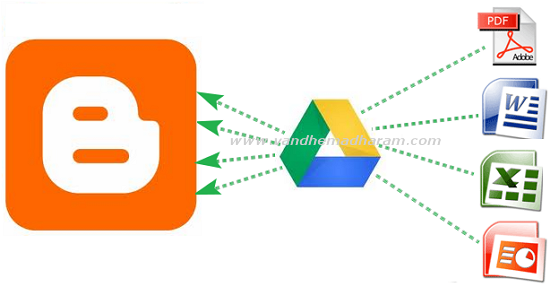
Most of bloggers using Google's free blogger platform. Even though it has more features you cannot upload pdf, doc, xls files directly on blogger. So before we used third party websites to embed these files. But now you no need to go to thirt party websites you can embed documents, spreadsheets, PDF files using Google Drive. Google is a Google's recent released cloud storage service it has more useful features . Here below the tutorial to how to embed doc,xls,pdf files on Google Drive.

  • Open drive.google.com and login to your account then click the upload button and choose your files need to embed.
  • After upload completed click on the uploaded file link. It opens in new tab


  • Then go to File - Embed (this PDF file) in menu bar. 


  • After you hit the Embed option the embed coding will shows just copy that coding and paste it on Edit HTML mode in blogger post editor section. 


  • Then as usual hit the publish Post button your embed files shows in blog posts.
I think this is the very easy way to show these type of files on blogger posts. If you have other ideas please share it on comment section. 

ref: http://www.techshortly.com/2012/05/how-to-show-pdf-doc-xls-files-on.html#

Monday, June 4, 2012

SVG, Scalable Images, not JPG, GIF or PNG in Blogger blogspot

Questions about a recent post containing a couple of flow charts made me regret the fact that 


Blogger does not support SVG graphics by direct insertion :
You may upload multiple files at once but you can only use JPG, GIF, or PNG files.
  
Although I made the charts using the excellent TiKZ LaTeX package (which produces vector output in the form of a PDF file), I had to convert the PDF output to PNG for Blogger, and the images are a tad fuzzy (and do not scale well when zoomed), which may have led to some confusion. So I was on a mission today to find a workaround.

The first thing I discovered that SVG is not nirvana.  I generated the images as separate PDF files from the TiKZ source.  (Hint to people doing this: use the LaTeX standalone document class and the output file will automatically be cropped to the smallest rectangle containing the image.)  I then used ImageMagick to convert the PDF files to SVG files ... which blew them up from around 54 KB to about 8+ MB. Each. Oops!  
I tried a tool I found to convert the SVG files to "canvas" files, which got me another 5x or so increase in size.  So back to PDF files.  


Blogger does not consider PDFs to be images, to the plan now is to use a PNG file as the image and link it to the corresponding PDF, allowing readers to click on the image and at least get a scalable version in a new window or tab.

Blogger does not allow you to upload arbitrary files, only images in formats it recognizes (which are actually stored in Picasa, another Google product/Web-service). I thought about putting the PDFs on a personal server somewhere, but I worry about moving things (including them) to a new server at some future date and not remembering to update the links.  Enter Google Documents.  I just have to upload the PDFs to Google Docs, make them public, grab the URLs and set the links on the PNGs (which by default point to the PNG files in Picasa) to point to the PDFs in Google Docs instead.


Ref: http://orinanobworld.blogspot.fr/2011/10/scalable-images-in-blogger.html