
FileZilla is a cross-platform graphical FTP, FTPS and SFTP client a lot of features, supporting Windows, Linux, Mac OS X and more.
FileZilla Server is a reliable FTP server for Windows.
http://sourceforge.net/projects/filezilla/
Version history:
http://filezilla-project.org/versions.php?version=3.6.0.1&oldversion=3.5.3
Tutoriel (français) / Guida a Filezilla (italiano) / Manual (espagnol) / manual (english)
In french:
http://filezilla.fr/telecharger-download/
--------------
File Sharing, File Transfer Protocol (FTP), Networking
Online Services headline animator, feedBurner
Monday, November 26, 2012

Sunday, November 25, 2012
Frederic lenoir; un penseur?; La guérison du monde (Essai, Fayard, 2012).

http://www.fredericlenoir.com/
http://fr.wikipedia.org/wiki/Fr%C3%A9d%C3%A9ric_Lenoir
PhD en philo "le bouddhisme en Occident" et chercheur associé École des hautes études en sciences sociales depuis 1991.
Après son baccalauréat, il entame des études de philosophie à l'université de Fribourg, en Suisse, où il rencontre Emmanuel Levinas, Marie-Dominique Philippe et la Communauté Saint-Jean. Touché par le message des Evangiles, il y passera trois ans tout en poursuivant ses études de philosophie.
En 1986, il entre aux Editions Fayard comme Directeur de collection, rencontre Edgar Morin, dont il devient un "disciple" intellectuel, et entame une thèse de doctorat.
En 2004 il prend la direction du magazine Le Monde des religions (bimestriel appartenant au groupe Le Monde.
En cet automne 2012, il revient au devant du monde des média du fait de son livre, un essai (http://www.fredericlenoir.com/essais),
La guérison du monde (Essai, Fayard, 2012).
http://www.inrees.com/livres/La-guerison-du-monde/
Google: Updated Scholar Metrics: Now Grouped by Research Area and new statistical model;
Earlier this year, Google (http://scholar.google.fr/) launched Scholar Metrics which provides an easy
way for authors to quickly gauge the visibility and influence of recent
articles in scholarly publications. Today, Google is updating Scholar
Metrics to make it easier for you to explore publications in research
areas that you are interested in.
To get started, you can browse publications in broad areas like Engineering & Computer Science, Health & Medical Sciences, or Social Sciences.
You will see the top 20 publications in the area ordered by their five-year h-index and h-median metrics. To see which articles in a publication were cited the most and who cited them, click on its h-index number.
To explore more specific research areas, select one of the broad areas, click on the "Subcategories" link and then choose one of the options. For example: Databases & Information Systems, Development Economics, Virology or Composite Materials.
Google uses a statistical model based on the articles published in the last five years to compute the set of publications associated with each research area. Recognizing the multi-disciplinary nature of many publications, our model allows a publication to be associated with more than one research area.
Browsing by research area is, as yet, available only for English publications. As previously, you can browse the top 100 publications in several languages. You can, of course, also search for specific publications by words in their titles.
Scholar Metrics currently covers articles published between 2007 and 2011. It only includes journal articles from websites that follow our inclusion guidelines, selected conference articles in Computer Science & Electrical Engineering and preprints from arXiv, SSRN, NBER, and RePEC. Scholar Metrics does not include publications with fewer than 100 articles, nor publications that received no citations in 2007-2011.
The metrics are based on citations from all articles that were indexed in Google Scholar as of November 15, 2012. Since our previous metrics were based on citations from all articles indexed as of April 1, 2012, the new numbers are expected to be a bit higher. Alas, that does not indicate that your favorite journal has become more influential over this short period.
For more details, see the Scholar Metrics help page.
Ref: http://googlescholar.blogspot.fr/2012/11/updated-scholar-metrics-now-grouped-by.html
Friday, November 23, 2012
google accounts and Google Apps accounts
https://www.google.com/dashboard/
Google Accounts Help
http://www.google.com/support/accounts/bin/topic.py?topic=28726
Google Accounts Help › Google Apps accounts
http://www.google.com/support/accounts/?hl=en&topic=28662&rd=1
Google Accounts Help
http://www.google.com/support/accounts/bin/topic.py?topic=28726
Google Accounts Help › Google Apps accounts
http://www.google.com/support/accounts/?hl=en&topic=28662&rd=1
Upload PDFs using Mendeley website interface
When I'm at a computer without Mendeley Desktop installed, I would like to be able to add a reference/document by uploading the PDF to the website. Currently, the 'Add Document' button on the website only allows for manually adding the reference info. Pressing 'Add Document' should also bring up a Browse button that allows you to locate and upload a document from your computer to the web.
One way to do this at the moment is to use
the Chrome browser app Metatato, which is in online interface for
Mendeley. You can drag and drop pdfs to entries in your library.
www.metatato.com/
www.metatato.com/
https://chrome.google.com/webstore/search/metatato?hl=en-GB
Sunday, September 30, 2012
Using Emoticons - Google Chat Help
Using Emoticons - Google Chat Help: "To use emoticons in Gmail, iGoogle and orkut chat, just choose one of these options:
Type a combination of keys (see the options below) and press Enter.
Click the blue smiley-face button at the right of the text-entry field. A pop-up menu appears, where you can choose from different emoticon sets, including circular, rectangular, or standard.
When you select a particular emoticon set, it becomes your default set. All incoming and outgoing emoticons will appear in your default style until you change sets."
Type a combination of keys (see the options below) and press Enter.
Click the blue smiley-face button at the right of the text-entry field. A pop-up menu appears, where you can choose from different emoticon sets, including circular, rectangular, or standard.
When you select a particular emoticon set, it becomes your default set. All incoming and outgoing emoticons will appear in your default style until you change sets."
upload , embed pdf, word excel in bogger blogspot
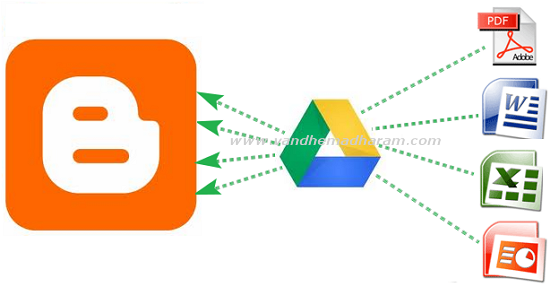
Most of bloggers using Google's free blogger platform. Even though it has more features you cannot upload pdf, doc, xls files directly on blogger. So before we used third party websites to embed these files. But now you no need to go to thirt party websites you can embed documents, spreadsheets, PDF files using Google Drive. Google is a Google's recent released cloud storage service it has more useful features . Here below the tutorial to how to embed doc,xls,pdf files on Google Drive.
- Open drive.google.com and login to your account then click the upload button and choose your files need to embed.
- After upload completed click on the uploaded file link. It opens in new tab

- Then go to File - Embed (this PDF file) in menu bar.

- After you hit the Embed option the embed coding will shows just copy that coding and paste it on Edit HTML mode in blogger post editor section.

- Then as usual hit the publish Post button your embed files shows in blog posts.
I think this is the very easy way to show these type of files
on blogger posts. If you have other ideas please share it on comment
section.
ref: http://www.techshortly.com/2012/05/how-to-show-pdf-doc-xls-files-on.html#
Monday, July 16, 2012
barecode reader;What does a barcode contain? Is a barcode readable? Test and control barcodes!
barcode reader: read barcode from image
an image (via a webcam for example)-->EAN code ( a number)http://bytescout.com/?q=/products/developer/barcodereadersdk/bytescoutbarcodereadersdk.html
Reads barcodes from images. Supported symbologies: Code 128, Code 39, EAN-8, EAN-13, UPC-A, UPC-E, Interleaved 2 of 5, Codabar, EAN-2 and EAN-5, DataMatrix and PDF 417.
http://www.bctester.de/en/index.htm
bcTester reads barcodes from images or PDF files. Linear barcodes can be recognized as well as modern 2D-(two dimensional) barcodes
Find out what is encoded in the barcodes you see!
Just create an image file by scanning or taking a picture of the barcode, and bcTester reads it from the file.
Rem:
A barcode is an optical machine-readable representation of data relating to the object to which it is attached.http://en.wikipedia.org/wiki/Barcode
The mapping between messages and barcodes is called a symbology. The specification of a symbology includes the encoding of the single digits/characters of the message as well as the start and stop markers into bars and space, the size of the quiet zone required to be before and after the barcode as well as the computation of a checksum.
A barcode reader or barcode scanner is an electronic device for reading printed barcodes. Like a flatbed scanner, it consists of a light source, a lens and a light sensor translating optical impulses into electrical ones. Additionally, nearly all barcode readers contain decoder circuitry analyzing the barcode's image data provided by the sensor and sending the barcode's content to the scanner's output port.
The Symbology Decoding Algorithm for barcode scanners is the first symbology-based algorithm for decoding. The new technique utilizes information from the entire image to detect transitions in the signal, whereas the traditional algorithm relies on the maxima and minima. Traditional methods are prone to errors because the method relies on a derivative; they are also sensitive to noise and blurring. The Symbology Decoding Algorithm for Bar Code Scanners exhibited high resilience to blur and noise when tested on 1D Universal Product Codes. The algorithm can also be extended for use on 2D Universal Product Codes
_______________________________
Which product is behind an EAN number ?
http://www.ean-search.org/Meaning of code:
http://www.dcode.fr/code-barres-code-128http://en.wikipedia.org/wiki/GS1-128
on android:
https://play.google.com/store/apps/details?id=com.google.zxing.client.android&hl=fr
Scan barcodes on products then look up prices and reviews. You can also scan Data Matrix and QR Codes containing URLs, contact info, etc.
Also share your contacts, apps, and bookmarks via QR Code. This is why contacts permissions are needed.
_______________________

Code QR encodant http://fr.wikipedia.org
Windows Live Writer plug-in: Insert Code (C++, Javascript, HTML...) ; polaroid; picasa; geo microformat:
http://plugins.live.com/writer/detail/insert-code-for-windows-live-writer
Insert Code for Windows Live Writer will format a snippet of text in a number of programming languages such as C#, HTML, MSH, JavaScript, Visual Basic and TSQL.
polaroid:
http://plugins.live.com/writer/detail/polaroid-picture
picasa:
http://plugins.live.com/writer/detail/picasa-image-plugin
geo microformat:
http://plugins.live.com/writer/detail/insert-geo-microformat
Integrates with Virtual Earth to allow an easy method of inserting a geo microformat (latitude and longitude) snippet into a blog post.
Insert Code for Windows Live Writer will format a snippet of text in a number of programming languages such as C#, HTML, MSH, JavaScript, Visual Basic and TSQL.
polaroid:
http://plugins.live.com/writer/detail/polaroid-picture
picasa:
http://plugins.live.com/writer/detail/picasa-image-plugin
geo microformat:
http://plugins.live.com/writer/detail/insert-geo-microformat
Integrates with Virtual Earth to allow an easy method of inserting a geo microformat (latitude and longitude) snippet into a blog post.
The top 10 ways to embed Google Earth content (trails, footpaths, interactive guide to fishing, walking, biking) on your site blog (special mention to blogger) with or without earth plugin and with/without earth API
A) without coding (no javascript)
3 categories of methods: without the need of plugin install (Google Earth plugin, for browsers) and without the google earth API or with this API (in this case, the client must install the Google Earth plugin)
B) with coding (javascript)
-----------------------------------------------
-----intro (not necessary if you just want a one-click service to directly embed in your site)
To load the Google Earth Plugin in your web page, you need to:
A) without coding (no javascript)
B) with coding (javascript)
http://code.google.com/apis/ajax/playground/?exp=earth#hello,_earth
3 categories of methods: without the need of plugin install (Google Earth plugin, for browsers) and without the google earth API or with this API (in this case, the client must install the Google Earth plugin)
A-a) without the need of Google Earth plugin
A-b) without the google earth API
A-c) with the google earth API
B) with coding (javascript)
-----------------------------------------------
-----intro (not necessary if you just want a one-click service to directly embed in your site)
The Google Earth plug-in allows you to navigate and explore geographic data on a 3D globe using a web browser: http://www.google.com/earth/explore/products/plugin.html
If you want to embed the Google Earth plug-in on your website, visit the Google Earth API site to learn more: http://code.google.com/apis/earth/
Check out the recently revamped (2011) Earth API Developer's Guide: http://code.google.com/apis/earth/documentation/
This plugin and this API may work correctly on all browsers (Internet Explorer 7.0+, mac and PC: Firefox 3.0+; Google Chrome 5.0+; Safari 3.1+, etc...) that support NPAPI with npruntime extensions (https://developer.mozilla.org/En/Gecko_Plugin_API_Reference:Scripting_plugins).
Plugins (or plug-ins) are shared libraries that users can install to display content that the application itself can't display natively. For example, Adobe Reader plugin (or Google earth plugin) lets the user open PDF files directly inside the browser. Plugins are written using NPAPI, the cross-browser API for plugins: https://developer.mozilla.org/en/Plugins
To install the Google Earth Plugin, browse to any page in which the plugin is included or at http://www.google.com/earth/explore/products/plugin.html (at this URL, you can see the version of your plugin).
This plugin and this API offer many services, see these 2 "ex-amples" (trail):
(google maps and google earth and a path from one start address and one end address)
http://www.themountainpulse.com/trail-maps-plus/grand-teton-national-park/ (The Mountain Pulse is an online resource for Jackson Hole’s outdoor community: mountain biking, hiking, pathways cycling, fishing, kayaking, lodging and more)
To load the Google Earth Plugin in your web page, you need to:
- Load the Google Earth API.
- Create a DIV element to hold the plugin.
- Create functions to initialize the plugin.
- Call the initialization functions once the page has loaded.
A) without coding (no javascript)
A-a) without the need of Google Earth plugin
A-b) without the google earth API
A-c) with the google earth API
B) with coding (javascript)
http://code.google.com/apis/ajax/playground/?exp=earth#hello,_earth
Subscribe to:
Posts (Atom)